
Market Hours: the four forex sessions on your clock
Market Hours shows the four forex sessions, Sydney, Tokyo, London and New York, converted to your own time zone. You see at a glance which sessions are open, when they overlap and how long until the next open or close.
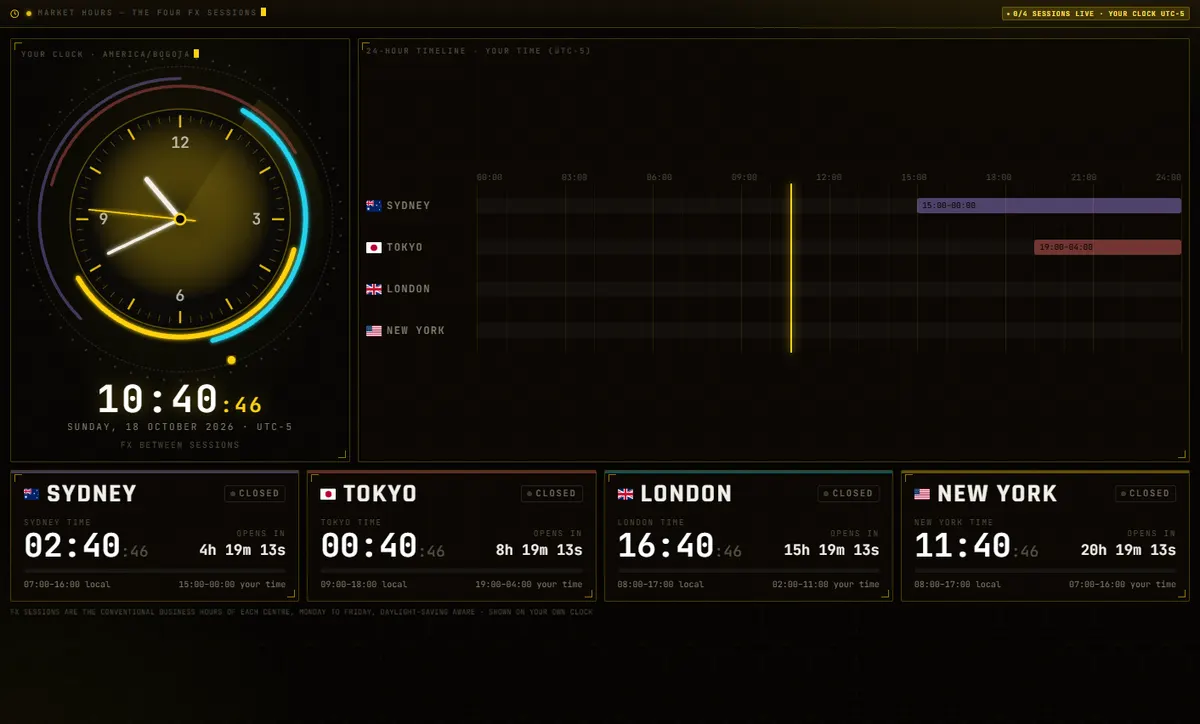
What it shows
The page uses the time zone of your browser. The header shows how many sessions are live and your offset from UTC, for example 2/4 sessions live.
- Your clock: a clock in your time zone with the date and the current state of the market: the name of the open session,
FX between sessions, or an overlap such asOverlap: London + New York — peak liquidity. - 24-hour timeline: one bar per session across your day, with a vertical line marking the current time. At the weekend it shows
Weekend — FX closed. - Session cards: for Sydney, Tokyo, London and New York: the local time there,
LiveorClosed, a countdown (Closes inorOpens in), a progress bar for the open session, and the hours in local time and in your time.
Session hours used
The sessions are the conventional business hours of each centre, Monday to Friday, and they follow daylight-saving changes automatically:
- Sydney: 07:00 to 16:00, Sydney time.
- Tokyo: 09:00 to 18:00, Tokyo time.
- London: 08:00 to 17:00, London time.
- New York: 08:00 to 17:00, New York time.
How to read it
Liquidity and activity are usually highest when two centres are open at the same time. The clock panel names the overlap as soon as it starts, and the timeline shows where the bars overlap in your day.
Because daylight-saving dates differ between countries, the hours in your time can shift by an hour for a few weeks in spring and autumn. The cards always show the correct times for the current date, so you do not have to calculate them.
How to use it in your trading
Use Market Hours to plan when you trade and to understand why a market is quiet or busy.
Example: a trader based in Montreal wants to trade EUR/USD when liquidity is highest. The timeline shows that London and New York overlap in the morning of their time zone. They might schedule their analysis before the New York open and use the Closes in countdown on the London card to know how long the overlap lasts. Outside the overlap, they might expect narrower ranges on that pair.
Questions
What are the forex market hours?
Forex trades around the clock from Monday to Friday through four main centres: Sydney (07:00 to 16:00 local), Tokyo (09:00 to 18:00), London (08:00 to 17:00) and New York (08:00 to 17:00).
Does the page handle daylight saving time?
Yes. Each session is computed in the local time of its centre and converted to your browser's time zone, so daylight-saving changes are applied automatically.
When is the best time to trade forex?
Activity is usually highest when two sessions overlap, especially London and New York. Market Hours shows each overlap in your own time zone.
Related pages
Try it in the terminal
Every tool described here is included in the subscription, with a three-day free trial.
Start the free trialTrade Sider is an analysis tool and does not provide investment advice. Trading involves a risk of capital loss.